Absolute Value Equations
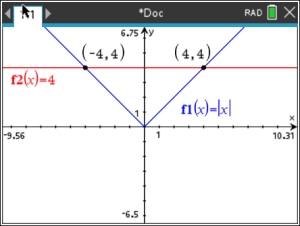
Example 1: Solve: | x | = 4
|
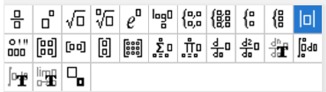
 OR you can type the letters "abs" directly from the alphabet keypad, followed by a left parenthesis. Enter the expression and close parenthesis. |
|
|
||
 |
||

 #6 Analyze Graph, #4 Intersection.
Example 2: Solve:

|
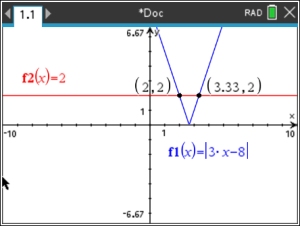 |
|
|
| Example 3: Solve: 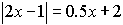
|
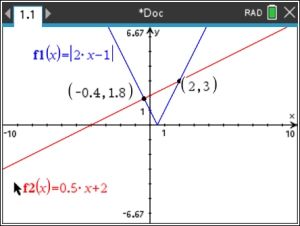 |

|
||
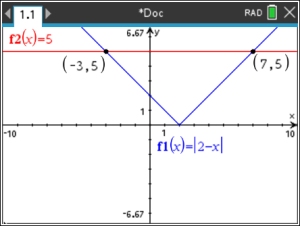
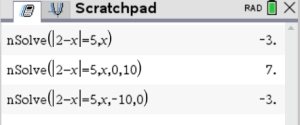
Example 4: Solve: | 2 - x | = 5 Scratchpad: :
WHOA!! The TI-Nspire CS II non-CAS treats absolute value as a numerical piecewise function (in parts), giving one answer (which is the answer closest to the origin). Answer: x = -3, x = 7 |
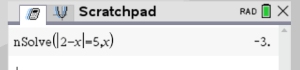 Whoa!!! Yep! There is another answer. That "Using Graph" method |
|